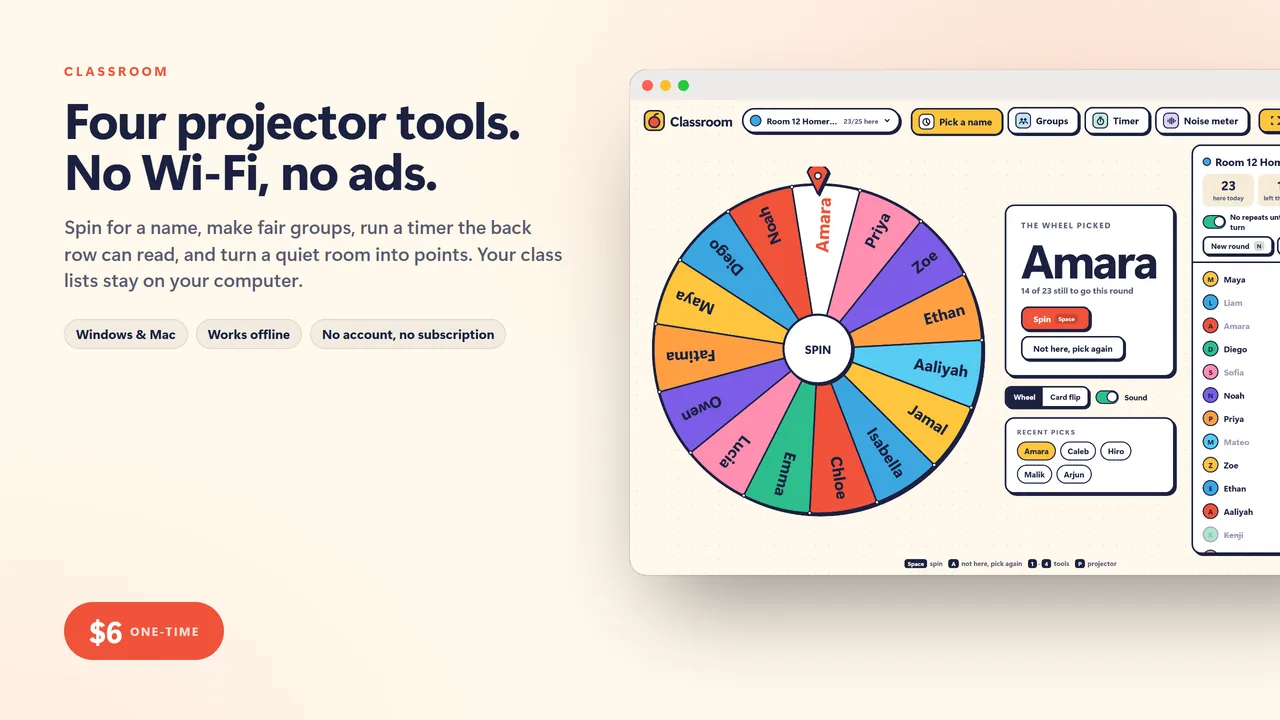
Four projector tools. No Wi-Fi, no ads.
Every teacher has a tab of free websites for the projector: a name wheel, a group generator, a timer, a noise meter. Then the school Wi-Fi drops, or an ad plays in front of thirty kids, or the site wants a login. Classroom is all four in one file that runs on your computer, offline, with your class lists already in it.
WHAT IT DOES
- Name picker: a big spinning wheel or a card flip. No repeats until everyone has had a turn, absent students left out for the day, and a Not here, pick again button
- Group maker: groups by size or by number, keep-apart and keep-together pairs, spread a label evenly (like strong readers), lock a group and reshuffle the rest, drag names between groups, print the list
- Timer: a countdown the back row can read, with quick start times, type any time, a ring that drains and turns yellow then red, a gentle chime, a stopwatch, and a mini timer that floats over the other tools
- Noise meter: a jar of bubbles that rises with the room, a line you set for too loud, quiet points every 10 seconds, and a class goal with a reward you name. It only listens for the level; nothing is recorded or saved
- Projector mode on every tool (press P): full screen, big type, nothing else on the screen
- Keyboard friendly: Space does the main thing on every tool, 1 to 4 switch tools
- As many classes as you teach, each with its own list, rounds, pairs and points
- Backup and restore, so your lists move to a new laptop
Who it's for
Teachers, teaching assistants, tutors, coaches and anyone who runs a room. Elementary through high school.
What you get
- Classroom (one .html file, runs in your browser, offline)
- A 2-page quick-start guide
Good to know
- One file. No install, no account, no subscription, no internet needed after download.
- Your data stays on your computer. Export a backup any time; import it on another machine.
- Built for a computer screen: Windows or Mac, in Chrome, Edge, Safari or Firefox.
- Instant download.
What's inside the download
- Classroom.html
- Quick-Start-Guide.pdf

Made by Matthew Busel, a one-person studio in Tuckahoe, NY. About me. Questions: support@tensorust.com.
Home, family and school
Classroom
teacher toolkit for the projector: name picker wheel, random group maker, big countdown timer and a noise meter, offline with no ads
The four tools teachers put on the projector every day, in one file that works when the school Wi-Fi does not and never shows an ad to the class. A spinning name wheel that gives everyone a turn before anyone goes twice, a group maker that keeps the right kids apart, a timer you can read from the back row, and a noise meter that turns a quiet room into points.
Works or I fix it. If a file doesn't open or work as described, email support@tensorust.com within 30 days and I fix it or send a working copy. All sales are final, so check the screenshots or ask first.
- Updated
- Oct 2026
- File
- ZIP, 454 KB: 1 HTML app, 1 PDF
- Who it's for
- Teachers, teaching assistants, tutors, coaches and anyone who runs a room. Elementary through high school.
One-time price in US dollars, checkout by Stripe. After paying you land on a page with your download link. Each link works for 15 minutes, and reopening that page makes fresh ones.
- Classroom-Teacher-Toolkit.zip
More in Home, family and school
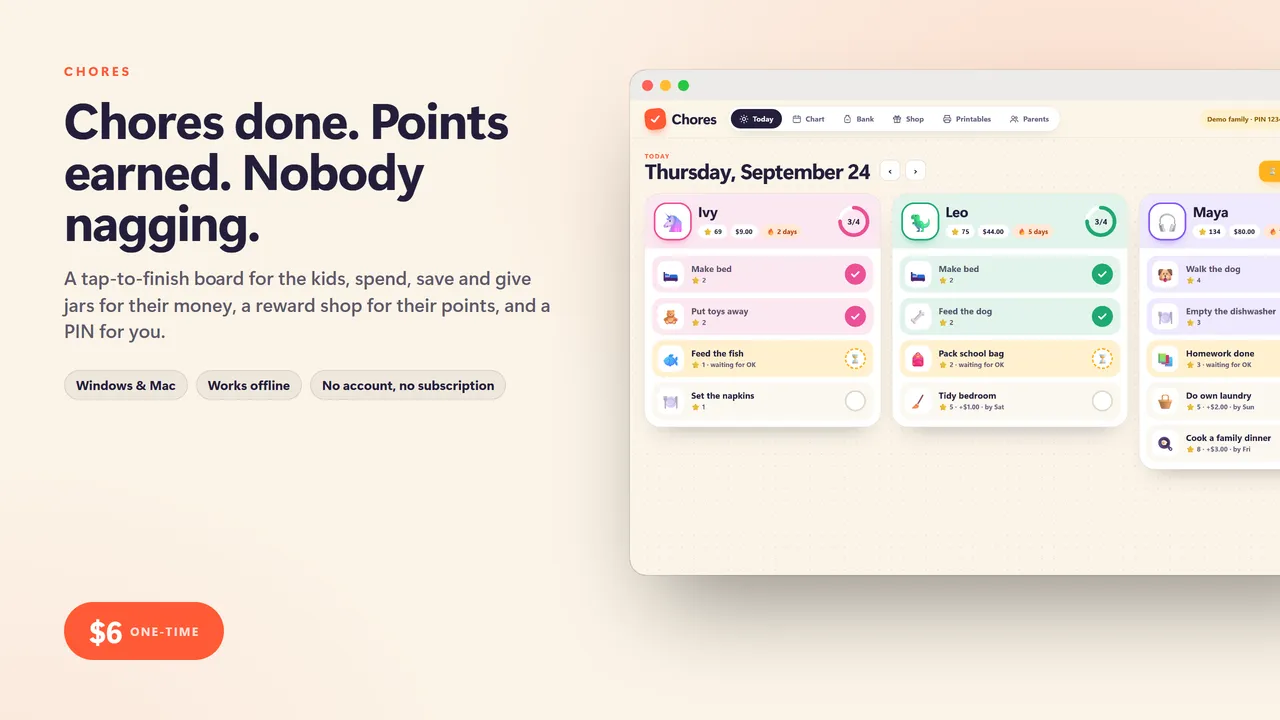
Chores
kids chore chart and allowance bank: a tap-to-finish Today board, spend, save and give jars, a points reward shop and printable fridge charts
$6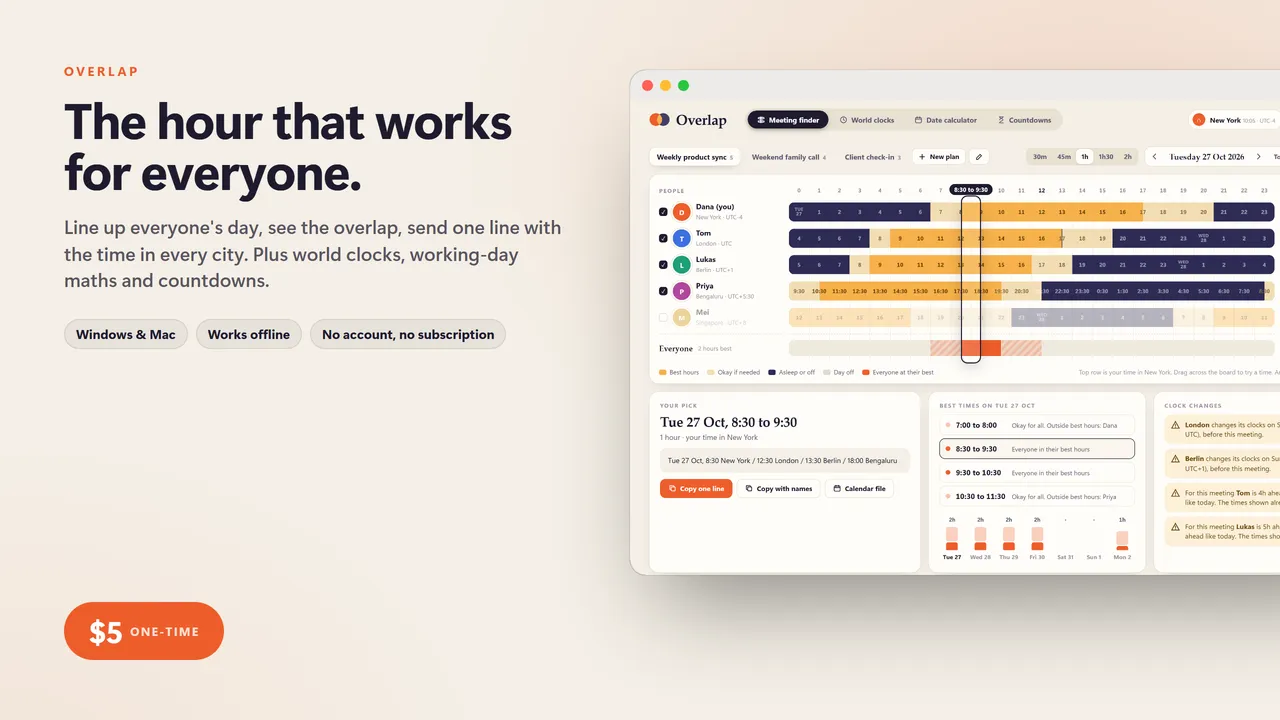
Overlap
time zone and date toolkit: find the meeting time that works for everyone, world clocks, a working-day calculator and countdowns, no subscription
$5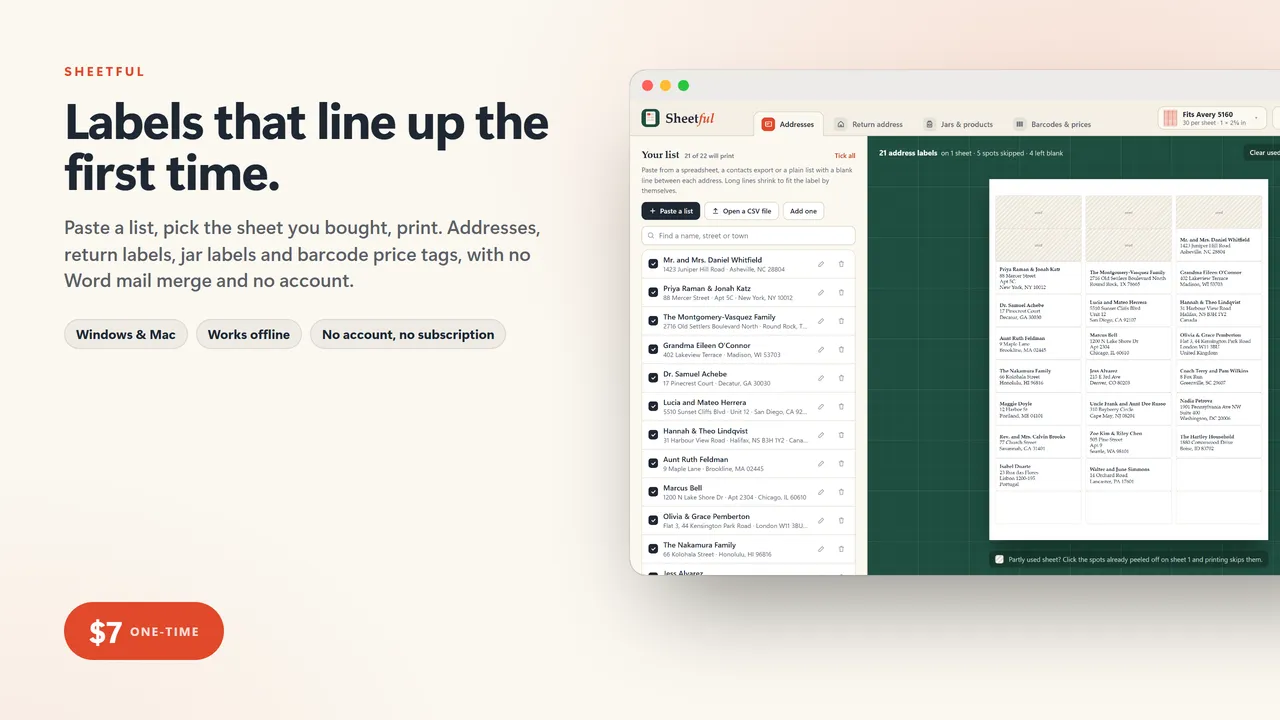
Sheetful
label printer: address labels from your list, return address labels, jar and product labels, barcodes and price tags, lined up on the sheets you already bought
$7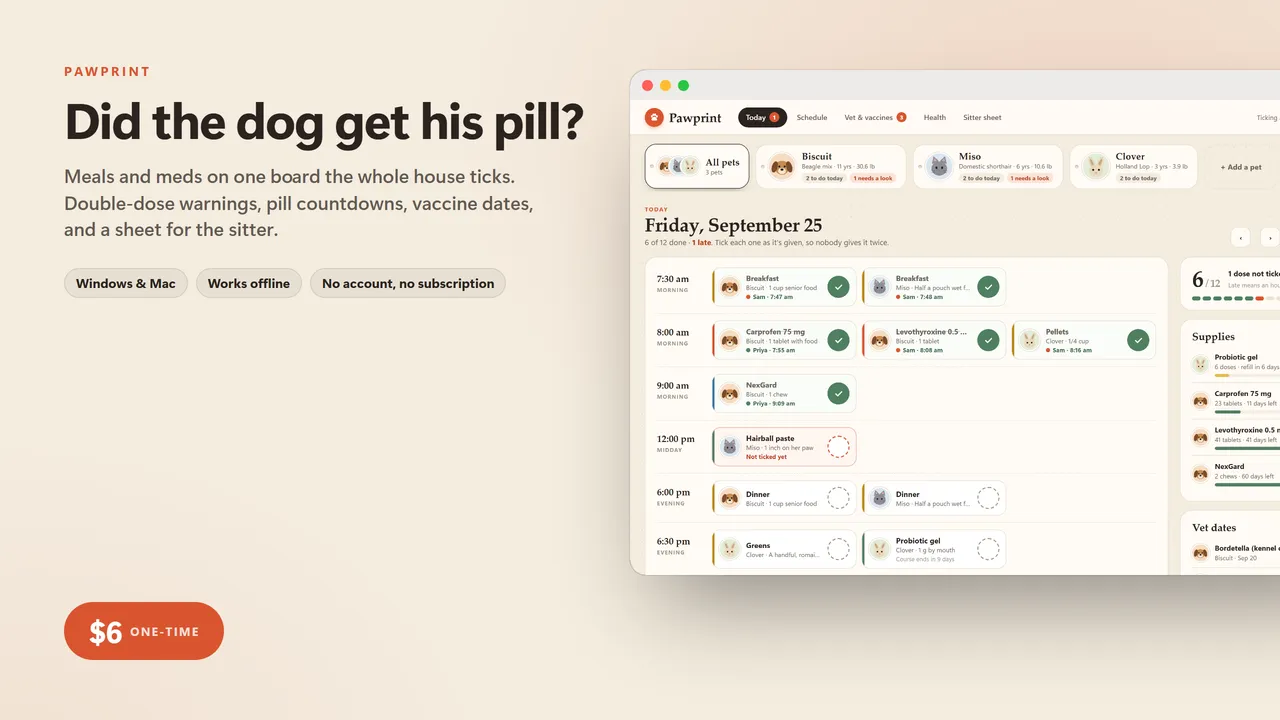
Pawprint
pet care organizer: shared med and feeding checklist with double-dose warnings, vaccine due dates, weight log and a printable sitter sheet
$6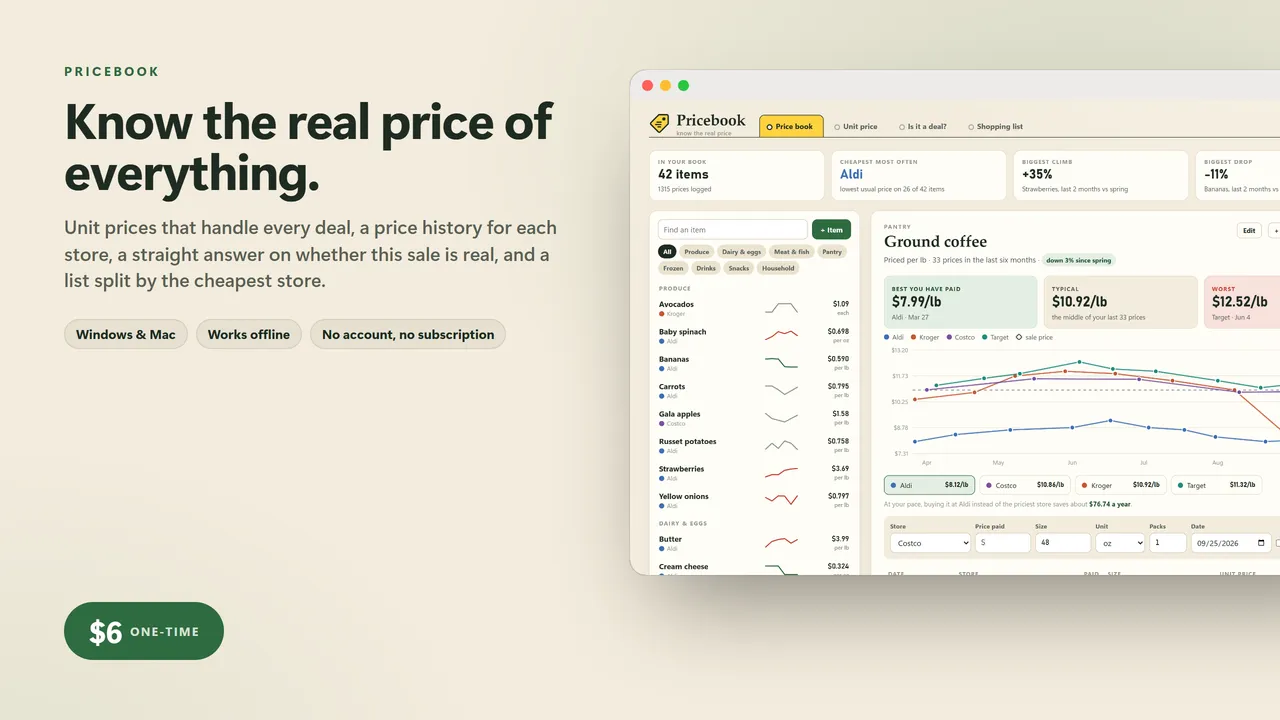
Pricebook
grocery price book: true price per ounce, is this sale really a deal, and which store to buy each thing at
$6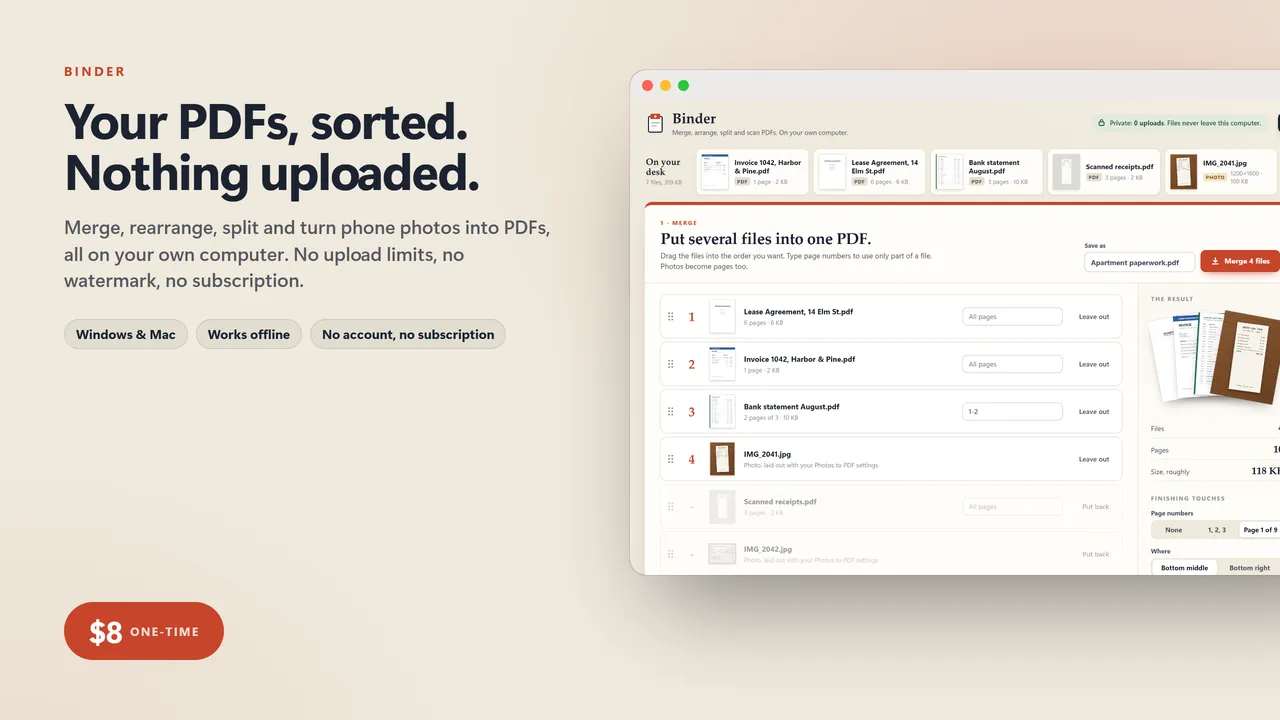
Binder
private PDF toolkit: merge, rearrange, split and turn photos into PDFs on your own computer, no uploads, no limits, no Acrobat subscription
$8