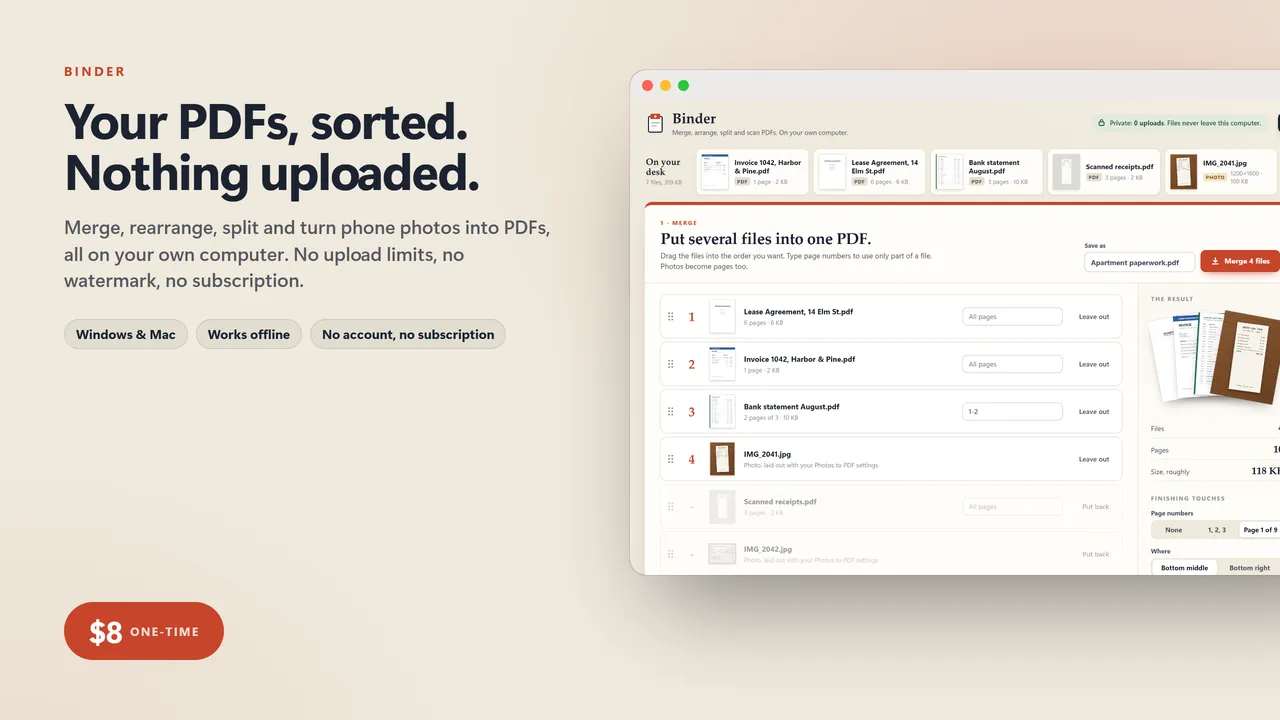
Your PDFs, sorted. Nothing uploaded.
Merging two PDFs should not mean uploading your tax return, your lease or your medical records to a stranger's server. But that is how the free PDF websites work, and then they cap you at two files an hour, stamp a watermark, or ask for a monthly fee. Acrobat wants a subscription too.
Binder does the PDF jobs people actually need, in one file that runs on your own computer. It works with the internet switched off. There is nowhere for your files to go.
FOUR TOOLS IN ONE
- Merge: drop in PDFs and photos, drag them into order, use only the pages you want from each (1-3, 7, 10-end), and get one tidy PDF
- Arrange pages: every page laid out as a card. Drag to reorder, turn sideways scans the right way up, delete blank pages, duplicate, insert a blank page, pull in pages from another file, undo anything
- Split and extract: pull out just the pages you need to send, cut a long file every few pages, or click the pages to keep or remove. Several parts come out together in one zip
- Photos to PDF: phone photos of receipts, forms, homework or a whiteboard become a proper document at Letter, A4 or Legal size, with a Clean scan look that turns grey paper white
AND THE LITTLE THINGS
- Stamp page numbers (1, 2, 3 or Page 1 of 9) on a merged file
- Give the file a proper title, and keep your name out of the hidden author field
- Real page previews of every file, so you can see what you are doing
- Smaller-file option for photos you need to email
- No limits on files, pages or how often you use it
Who it's for
Anyone who has ever had to send "the signed pages plus the ID plus the bank statement as one PDF". Renters, home buyers, people doing taxes, parents with school forms, freelancers sending paperwork, small offices.
What you get
- Binder (one .html file, runs in your browser, offline)
- A 2-page quick-start guide
Good to know
- One file. No install, no account, no subscription, no internet needed after download.
- Your files never leave your computer. Binder has no server to upload to, so your tax return, lease or medical records stay private.
- Built for a computer screen: Windows or Mac, in Chrome, Edge, Safari or Firefox.
- Instant download.
What's inside the download
- Binder.html
- Quick-Start-Guide.pdf

Made by Matthew Busel, a one-person studio in Tuckahoe, NY. About me. Questions: support@tensorust.com.
Home, family and school
Binder
private PDF toolkit: merge, rearrange, split and turn photos into PDFs on your own computer, no uploads, no limits, no Acrobat subscription
The free PDF websites want your tax return, lease and medical records on their servers, then cap you at two files an hour. Acrobat wants a monthly fee. Binder does the four PDF jobs everyone needs on your own computer: merge files in any order, rearrange, rotate and delete pages, split or extract pages, and turn phone photos into a clean PDF. Nothing is uploaded, ever.
Works or I fix it. If a file doesn't open or work as described, email support@tensorust.com within 30 days and I fix it or send a working copy. All sales are final, so check the screenshots or ask first.
- Updated
- Oct 2026
- File
- ZIP, 1.2 MB: 1 HTML app, 1 PDF
- Who it's for
- Anyone who has ever had to send "the signed pages plus the ID plus the bank statement as one PDF". Renters, home buyers, people doing taxes, parents with school forms, freelancers sending paperwork, small offices.
One-time price in US dollars, checkout by Stripe. After paying you land on a page with your download link. Each link works for 15 minutes, and reopening that page makes fresh ones.
- Binder-Private-PDF-Toolkit.zip
More in Home, family and school
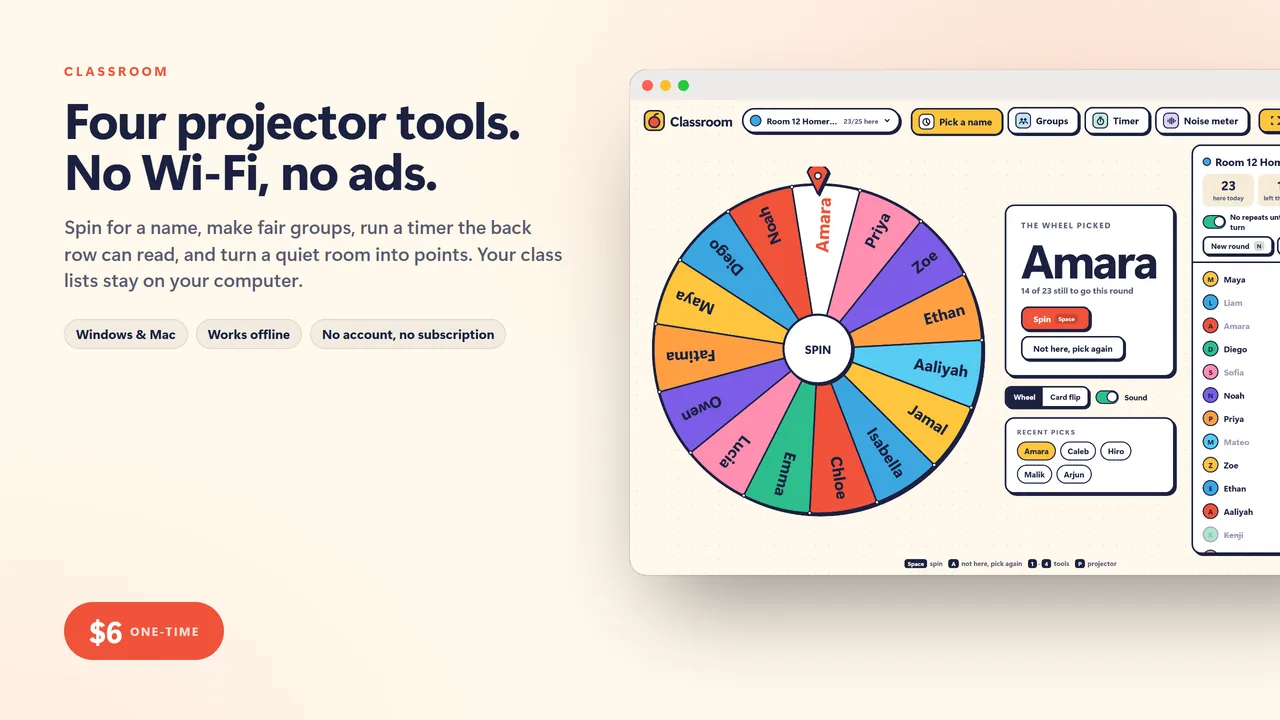
Classroom
teacher toolkit for the projector: name picker wheel, random group maker, big countdown timer and a noise meter, offline with no ads
$6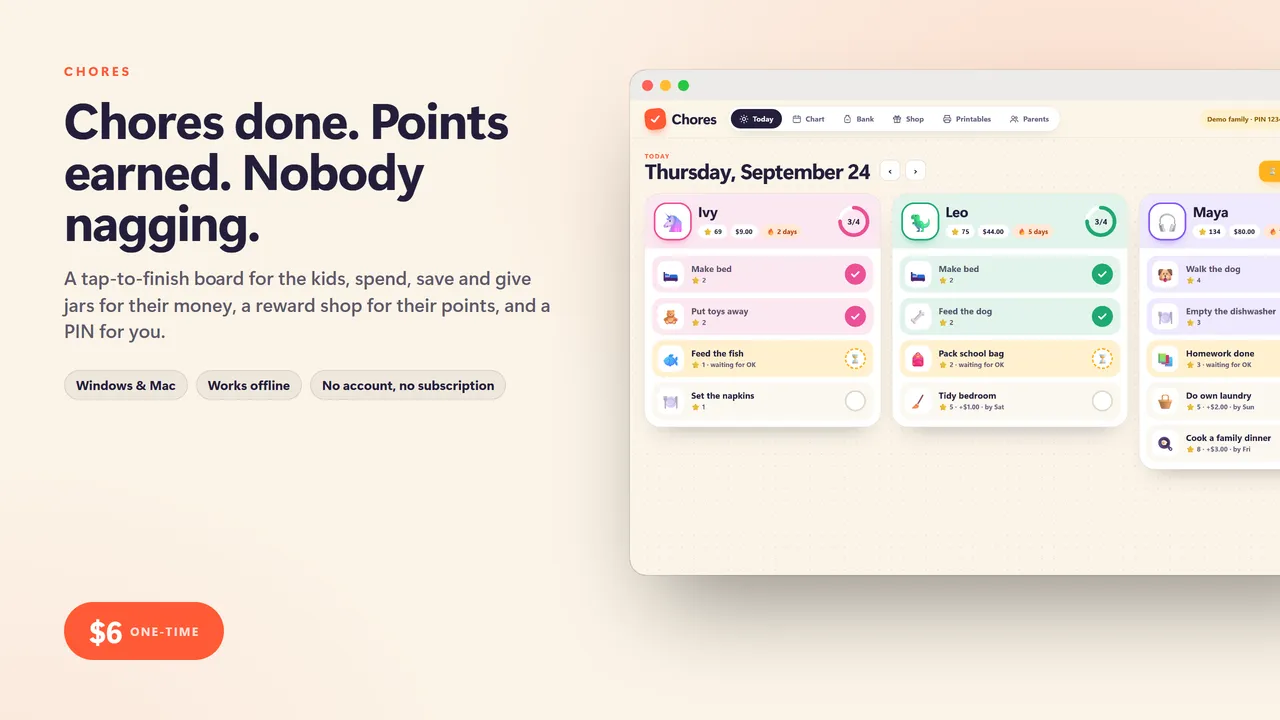
Chores
kids chore chart and allowance bank: a tap-to-finish Today board, spend, save and give jars, a points reward shop and printable fridge charts
$6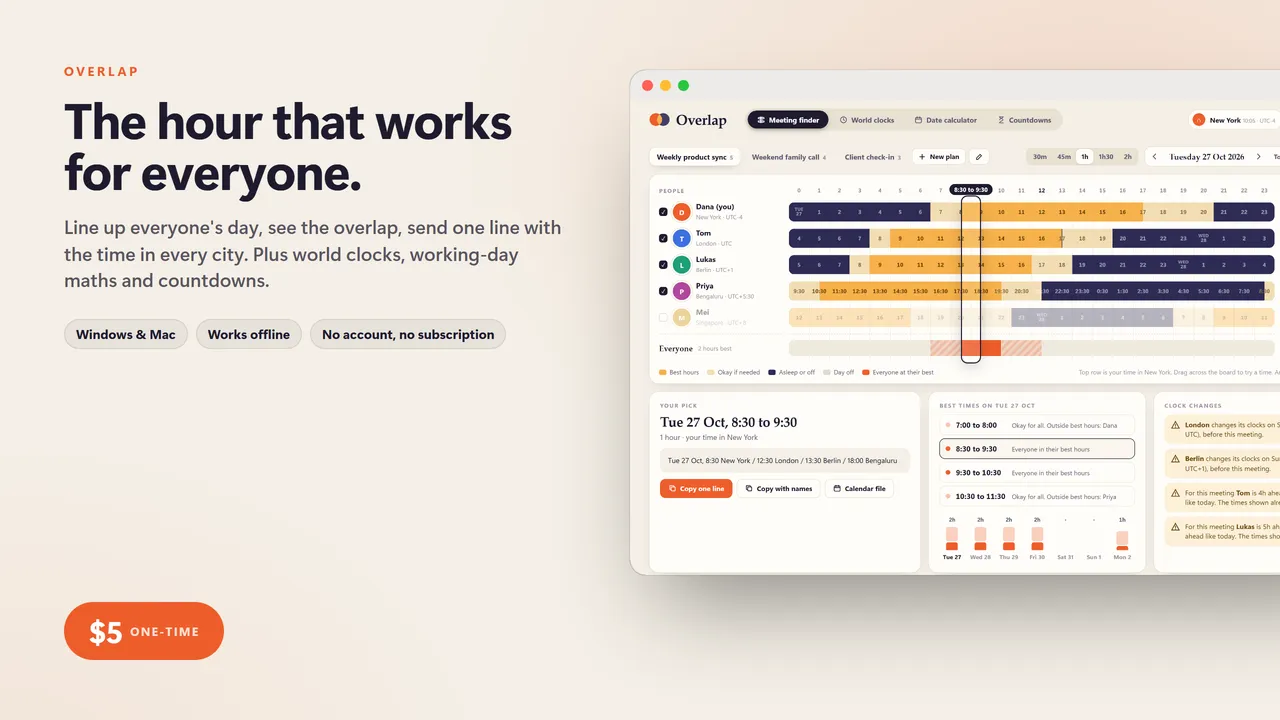
Overlap
time zone and date toolkit: find the meeting time that works for everyone, world clocks, a working-day calculator and countdowns, no subscription
$5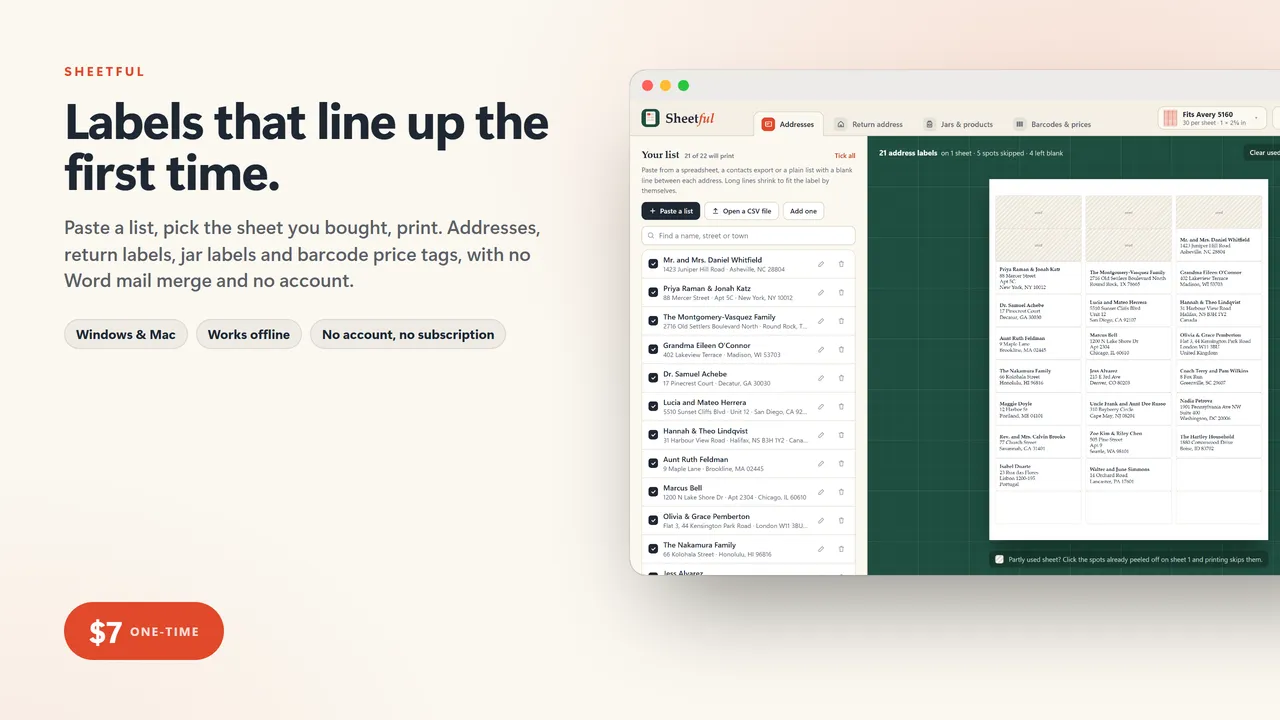
Sheetful
label printer: address labels from your list, return address labels, jar and product labels, barcodes and price tags, lined up on the sheets you already bought
$7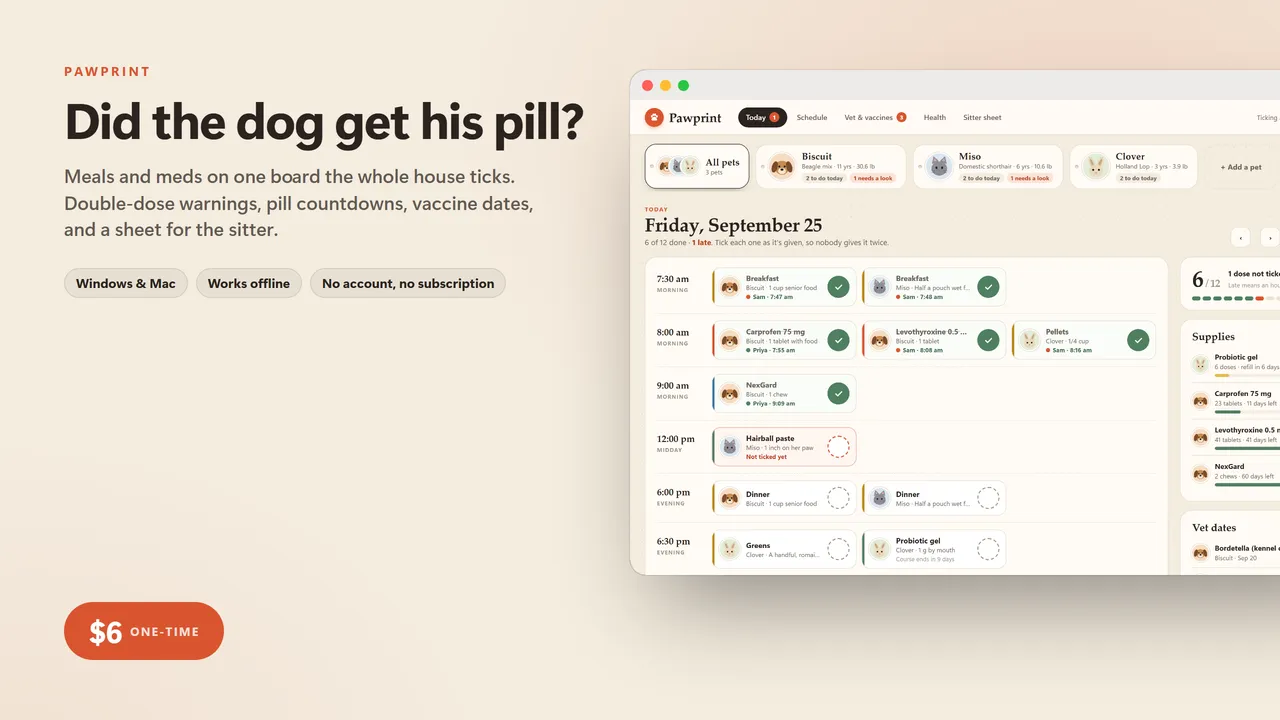
Pawprint
pet care organizer: shared med and feeding checklist with double-dose warnings, vaccine due dates, weight log and a printable sitter sheet
$6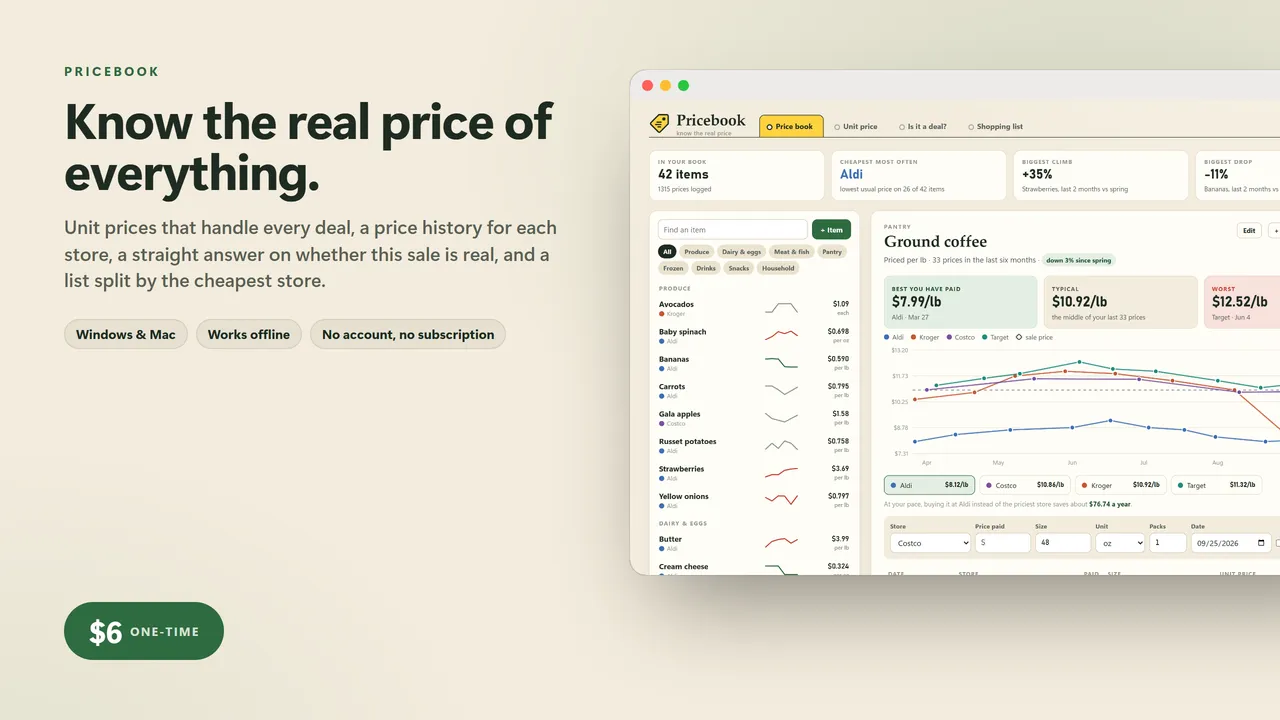
Pricebook
grocery price book: true price per ounce, is this sale really a deal, and which store to buy each thing at
$6