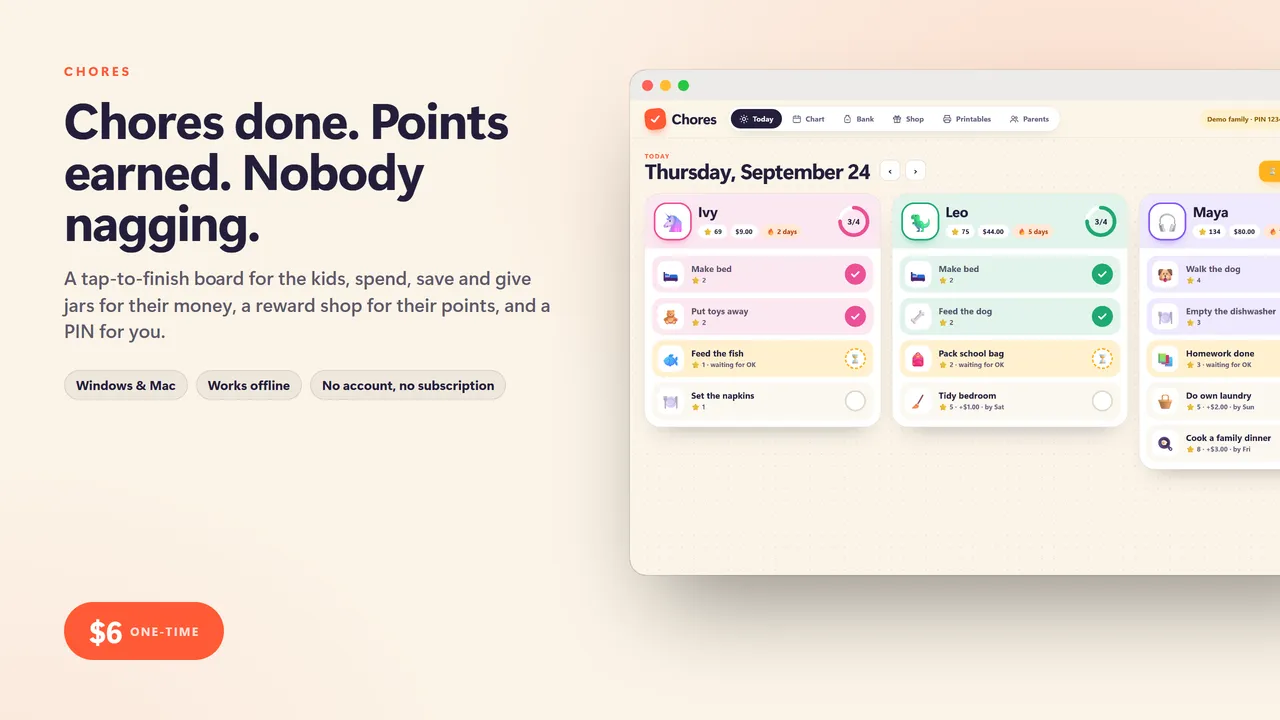
Chores done. Points earned. Nobody nagging.
Chore charts are one of the most bought printables on the internet, and chore apps want a monthly fee for the same idea. A paper chart cannot keep score and an app cannot go on the fridge. Chores does both, in one file that runs on your family computer. No account, no subscription, no ads aimed at your kids.
FOUR TOOLS IN ONE
1. The chore chart
- Each kid gets a name, an avatar and a color
- Chores with points, an optional money value, and a schedule: every day, school days, chosen days, or once a week
- A big, touch-friendly Today board: kids tap a chore when it is done and watch their ring fill up
- Streaks for kids who keep it going, and a weekly chart showing done, waiting and missed
- Ideas by age: ready-made chores for ages 3-5, 6-8, 9-12 and 13+, added in two clicks
2. The allowance bank
- Spend, Save and Give jars for every kid, with your own split (say 60 / 30 / 10)
- A weekly allowance that posts itself on the day you pick
- Bonuses, take-aways, spending, giving and moving money between jars
- A savings goal with a progress bar and how many weeks are left at the current pace
- Every coin and point in a ledger, so arguments end quickly
3. The reward shop
- Set rewards priced in points: extra screen time, pick dinner, stay up late, a sleepover
- Kids see what they can afford and how many points they still need
- A list of rewards you still owe them until you mark them given
4. Printables for the fridge
- A weekly chart for each kid to color in, with their savings goal on it
- A certificate with last week's real results in their name
- Cut-out chore cards, 12 to a page
- US Letter or A4
Grown-ups stay in charge
A 4-digit parent PIN locks everything except ticking today's chores. Turn on approvals and ticked chores wait for your OK before points land. A weekly summary shows how each kid did, what they missed most, and copies into the family chat.
What you get
- Chores (one .html file, runs in your browser, offline)
- A quick-start guide
Good to know
- One file. No install, no account, no subscription, no internet needed after download.
- Your data stays on your computer. Export a backup any time; import it on another machine.
- Built for a computer screen: Windows or Mac, in Chrome, Edge, Safari or Firefox.
- Instant download.
Need a custom app built for your business? I build native iOS apps and web tools from prototype to launch. Services and pricing · LinkedIn
Home, family and school
Chores
kids chore chart and allowance bank: a tap-to-finish Today board, spend, save and give jars, a points reward shop and printable fridge charts
Chore chart apps want a monthly fee and printable charts do not keep score. Chores does both: a big Today board kids tap on the family computer or tablet, points and allowance that land in spend, save and give jars, a reward shop where points buy screen time or a sleepover, a parent PIN so nobody pays themselves, and weekly charts, certificates and chore cards to print for the fridge.
One-time price in US dollars, checkout by Stripe. After paying you land on a page with your download link. Each link works for 15 minutes, and reopening that page makes fresh ones.
- Chores-Kids-Chore-Chart-and-Allowance.zip