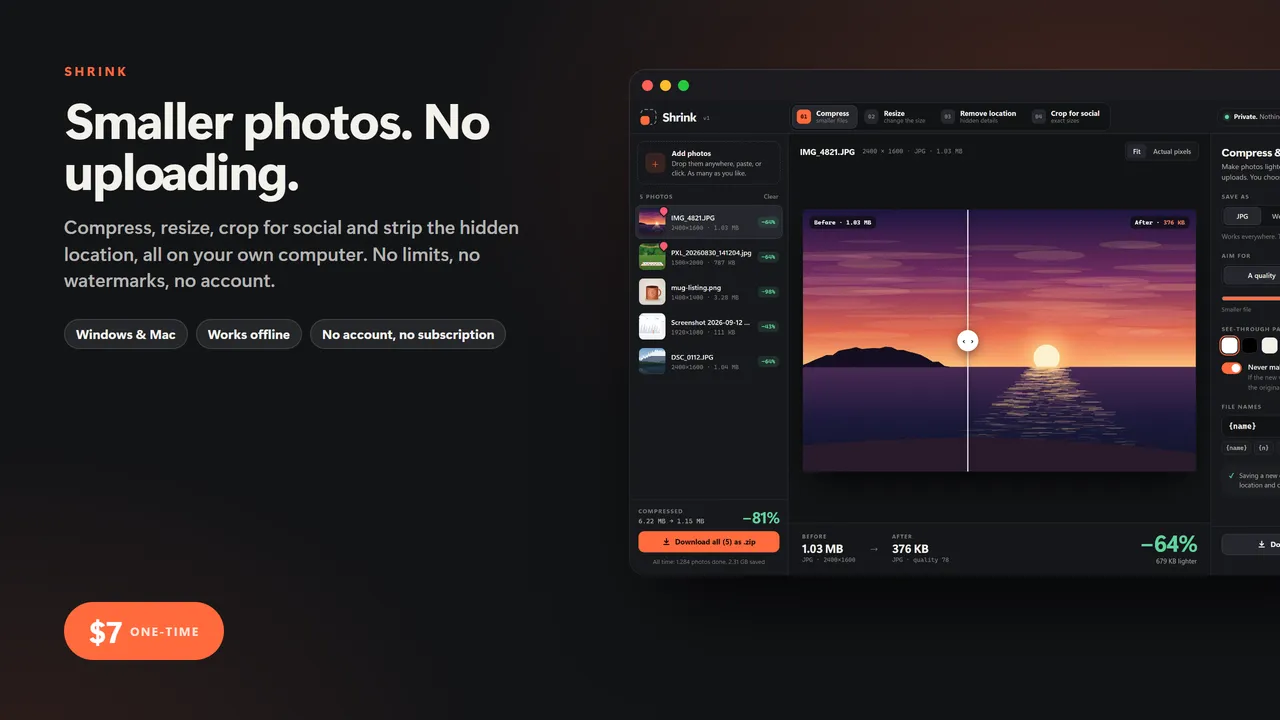
Smaller photos. No uploading.
You need a photo under 200 KB for a form, a stack of pictures small enough to email, a thumbnail at exactly 1280 by 720. So you search for a free image website. It lets you do 20, adds a watermark, then asks for a subscription. And every photo you hand it carries a secret: the exact spot it was taken, down to your front door.
Shrink does all of it on your own computer. Nothing is uploaded, ever. No limits, no watermarks, no account.
FOUR TOOLS IN ONE
- Compress and convert: JPG, WebP or PNG. Set a quality, or type a file size ("under 200 KB") and every photo gets the best quality that still fits. Drag a line across the picture to compare before and after.
- Resize in bulk: longest side, exact size or percent, for one photo or a hundred. Fit inside, fill exactly or add bars. Name the files the way you want, like holiday-1600x1067.jpg.
- Remove location and hidden details: see what each photo gives away (where it was taken, which phone, when, serial numbers, names) and take it all out. The picture itself is not touched, and every cleaned copy is checked before you download it.
- Crop for social: Instagram post and portrait, Story and Reel, YouTube thumbnail, LinkedIn and X banners, Pinterest, Etsy listing, passport photo, or your own size. Drag the box to choose what stays in.
ALSO
- Sideways phone photos come out the right way up
- Download one photo, or everything as a single .zip
- Drop, click or paste (Ctrl+V) to add photos
- Remembers your settings for next time
Who it's for
Anyone who sells online, posts to social, fills in forms with upload limits, sends photos of their kids, or just doesn't want to hand their pictures to a website to make them smaller.
What you get
- Shrink (one .html file, runs in your browser, offline)
- A 2-page quick-start guide
Good to know
- One file. No install, no account, no subscription, no internet needed after download.
- Your data stays on your computer. Export a backup any time; import it on another machine.
- Built for a computer screen: Windows or Mac, in Chrome, Edge, Safari or Firefox.
- Instant download.
What's inside the download
- Shrink.html
- Quick-Start-Guide.pdf

Made by Matthew Busel, a one-person studio in Tuckahoe, NY. About me. Questions: support@tensorust.com.
Home, family and school
Shrink
private image toolkit: compress, resize, crop for social and remove the hidden GPS location from your photos, with no uploading, no limits and no watermarks
The free image websites cap you at 20 photos, stamp watermarks or want a subscription, and every photo you give them carries the exact spot it was taken. Shrink does the four jobs people actually need in one file that never uploads anything: compress to a quality or to a file size, resize a hundred photos at once, crop to every social size, and strip out the hidden location and camera details.
Works or I fix it. If a file doesn't open or work as described, email support@tensorust.com within 30 days and I fix it or send a working copy. All sales are final, so check the screenshots or ask first.
- Updated
- Oct 2026
- File
- ZIP, 2.2 MB: 1 HTML app, 1 PDF
- Who it's for
- Anyone who sells online, posts to social, fills in forms with upload limits, sends photos of their kids, or just doesn't want to hand their pictures to a website to make them smaller.
One-time price in US dollars, checkout by Stripe. After paying you land on a page with your download link. Each link works for 15 minutes, and reopening that page makes fresh ones.
- Shrink-Private-Image-Toolkit.zip