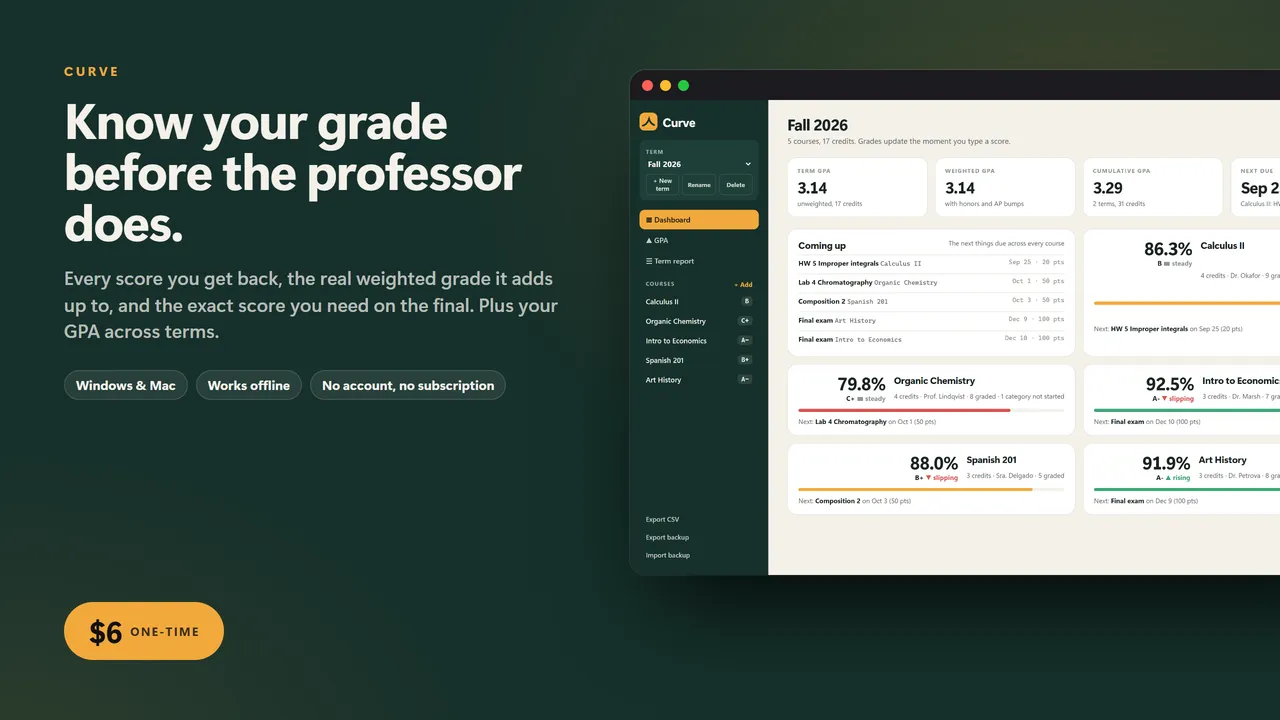
Know your grade before the professor does.
Most students find out their real grade twice a semester, when the portal updates. In between it is guesswork: does the 6 out of 10 on that quiz matter, and what do you actually need on the final?
Curve keeps the answer on screen all term. Type each score as it comes back and the weighted grade recalculates, the way the syllabus says it should, including the categories that have not started yet.
WHAT IT DOES
- Terms and courses with credits, instructor and an honors or AP bump for weighted GPA
- Weighted categories (homework 20, quizzes 15, midterm 25, final 40) or plain total points
- Paste the syllabus breakdown and the categories set themselves up
- Drop the lowest N in any category, or skip a single assignment with one tick
- Categories with no grades yet are left out and the rest scale up, and the app tells you so
- What do I need: pick the target letter or percent and the part still to come, and it solves for the score, says when a grade is locked in or out of reach, and lists every letter with a verdict
- A slider to try any score on the final and see where you finish
- Grade over time chart for every course, with each assignment marked
- Dashboard with every course, current grade and letter, a rising or slipping arrow, and the next thing due
- GPA per term and cumulative, unweighted and weighted, with an editable points-per-letter map
- What-if panel: set a letter for each course and see the GPA you would end on
- Editable letter scale per course, with plus and minus grades
- Printable one-page term report, CSV export of every assignment, backup and restore
Who it's for
College and high school students who want to know where they stand every week, not twice a semester, and anyone who has typed "what do I need on the final" into a search bar.
What you get
- Curve (one .html file, runs in your browser, offline)
- A 2-page quick-start guide
Good to know
- One file. No install, no account, no subscription, no internet needed after download.
- Your data stays on your computer. Export a backup any time; import it on another machine.
- Built for a computer screen: Windows or Mac, in Chrome, Edge, Safari or Firefox.
- Instant download.
What's inside the download
- Curve.html
- Quick-Start-Guide.pdf

Made by Matthew Busel, a one-person studio in Tuckahoe, NY. About me. Questions: support@tensorust.com.
Home, family and school
Curve
grade tracker and final exam calculator: every course, weighted categories, what you need on the final, and your GPA across terms
Type your scores as they come back and Curve keeps the real weighted grade for every course, tells you exactly what you need on the final to land the letter you want, and works out your term and cumulative GPA, weighted and unweighted. Drop-lowest rules, syllabus paste-in, a grade chart, a what-if GPA panel and a printable term report. One file, no account, no subscription.
Works or I fix it. If a file doesn't open or work as described, email support@tensorust.com within 30 days and I fix it or send a working copy. All sales are final, so check the screenshots or ask first.
- Updated
- Oct 2026
- File
- ZIP, 243 KB: 1 HTML app, 1 PDF
- Who it's for
- College and high school students who want to know where they stand every week, not twice a semester, and anyone who has typed "what do I need on the final" into a search bar.
One-time price in US dollars, checkout by Stripe. After paying you land on a page with your download link. Each link works for 15 minutes, and reopening that page makes fresh ones.
- Curve-Grade-Tracker.zip