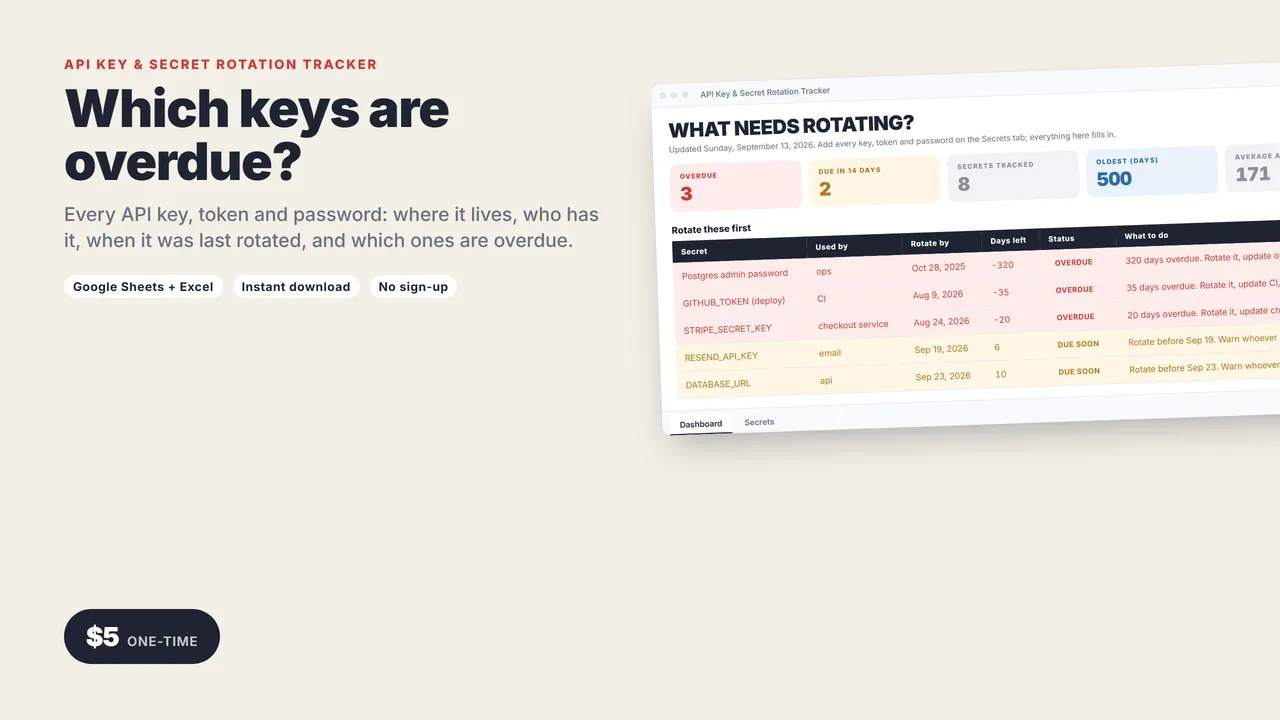
Which keys are overdue?
Somewhere there is a Stripe key from 2023 that a contractor who left still has. This spreadsheet is how you find out which one, and it is the first thing an auditor asks for.
One row per secret: what it is, what uses it, where it is stored, who owns it, who has a copy, when it was last rotated and how often it should be. It works out what is overdue.
Names and locations only. The secret values never go in the sheet.
Works in Google Sheets and Excel.
WHAT NEEDS ROTATING?
- Overdue, and due in the next 14 days
- Secrets tracked, oldest, average age in days
- Rotate these first, in order, with what to update and who to warn
Every row gets a status automatically
OK, DUE SOON or OVERDUE, with the rotate-by date and a next step that names the service using it.
What you get
- The tracker (.xlsx): Dashboard and Secrets tabs, room for 300 secrets
- A 2-page quick-start guide
Who it's for
Small engineering teams, solo founders running production, anyone preparing for SOC 2 or a security questionnaire who needs an answer to "how do you manage secrets".
Good to know
- No macros, add-ons or sign-ups. Works in Google Sheets (free) and Excel 2016 or newer.
- Instant download.
Need a custom app built for your business? I build native iOS apps and web tools from prototype to launch. Services and pricing · LinkedIn
Indie dev and launch
API Key & Secret Rotation Tracker
Google Sheets + Excel
Every API key, token and password: where it lives, who has it, when it was last rotated, and which ones are overdue.
One-time price in US dollars, checkout by Stripe. After paying you land on a page with your download link. Each link works for 15 minutes, and reopening that page makes fresh ones.
- API-Key-Rotation-Tracker.zip