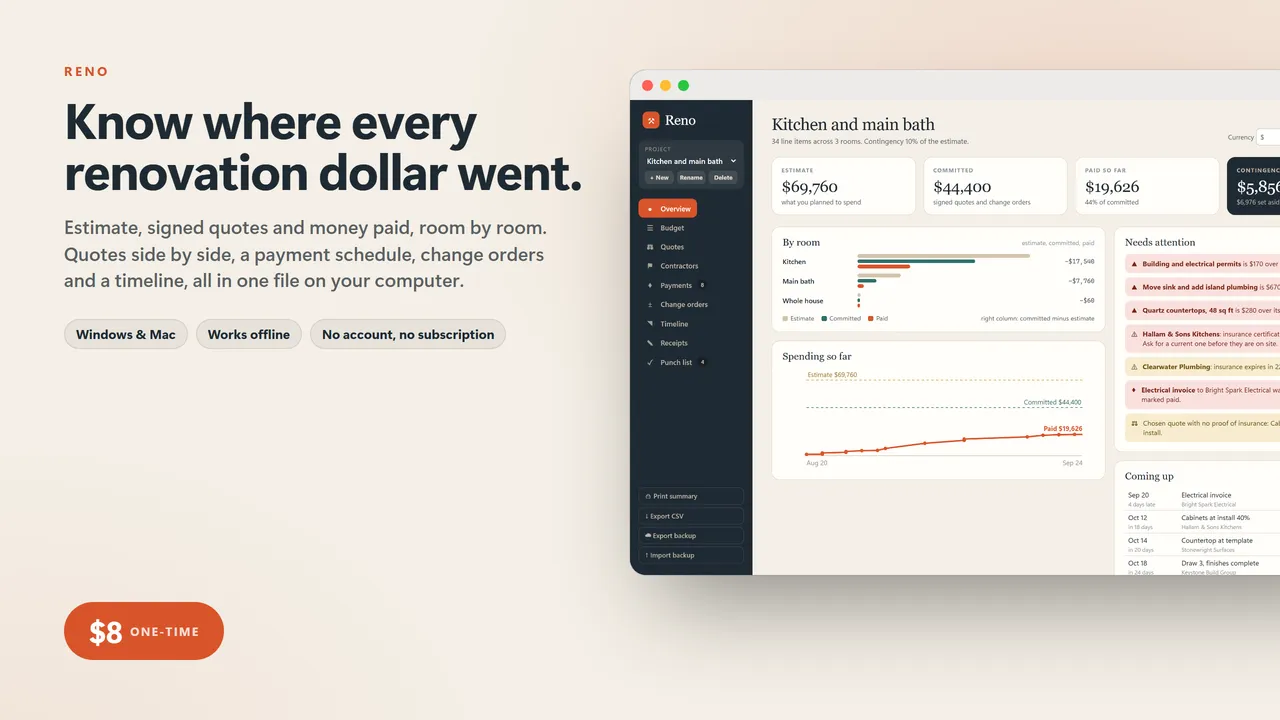
Know where every renovation dollar went.
A renovation has three numbers for every part of the job: what you estimated, what you signed for, and what you have actually paid. Most people keep the first in a spreadsheet, the second in their email and the third in a shoebox of receipts. Then a change order arrives, the contractor asks for a draw, and nobody knows whether the project is still on budget.
Reno keeps all three numbers together, room by room, in one file on your computer.
WHAT IT DOES
- Budget by room and phase: estimate, committed, change orders, paid, and over or under for every line, with room subtotals and a project total
- Quotes side by side: up to four contractors per line item with price, includes, excludes, timeline, licensed and insured ticks and notes. Choose one and it becomes the committed amount
- Contractor directory with licence number, insurance expiry and payment terms. Expired or expiring insurance is flagged before they are on site
- Payment schedule: deposits, milestone draws and finals with due dates, paid and late status, and what is due next
- Change orders, plus or minus, against the line item they change
- Timeline chart by phase with a today marker
- Receipts log for the things you buy yourself, by category and line item, with the photo or file name
- Punch list for the snags before the final payment
- Overview dashboard: estimate vs committed vs paid, contingency remaining, spending over time, and a Needs attention list
- Print the summary, print a payment ledger for any contractor, export the budget as CSV
- Several projects, any currency symbol, backup and restore
Who it's for
Homeowners doing a kitchen, bathroom, basement, extension or whole-house renovation who want to answer "are we still on budget?" in ten seconds.
What you get
- Reno (one .html file, runs in your browser, offline)
- A 2-page quick-start guide, with a demo project to explore first
Good to know
- One file. No install, no account, no subscription, no internet needed after download.
- Your data stays on your computer. Export a backup any time; import it on another machine.
- Built for a computer screen: Windows or Mac, in Chrome, Edge, Safari or Firefox.
- Instant download.
Need a custom app built for your business? I build native iOS apps and web tools from prototype to launch. Services and pricing · LinkedIn
Money and business
Reno
renovation budget tracker: estimate vs quotes vs paid by room, contractor quotes side by side, payment schedule, change orders and a timeline
A kitchen, bath or whole-house renovation has three numbers per line: what you estimated, what you signed for, and what you have actually paid. Reno keeps all three by room, lines up to four contractor quotes side by side, tracks deposits and milestone payments, adds change orders to the right line, draws the timeline, and warns you when a contractor's insurance has lapsed or a payment is late.
One-time price in US dollars, checkout by Stripe. After paying you land on a page with your download link. Each link works for 15 minutes, and reopening that page makes fresh ones.
- Reno-Renovation-Budget.zip