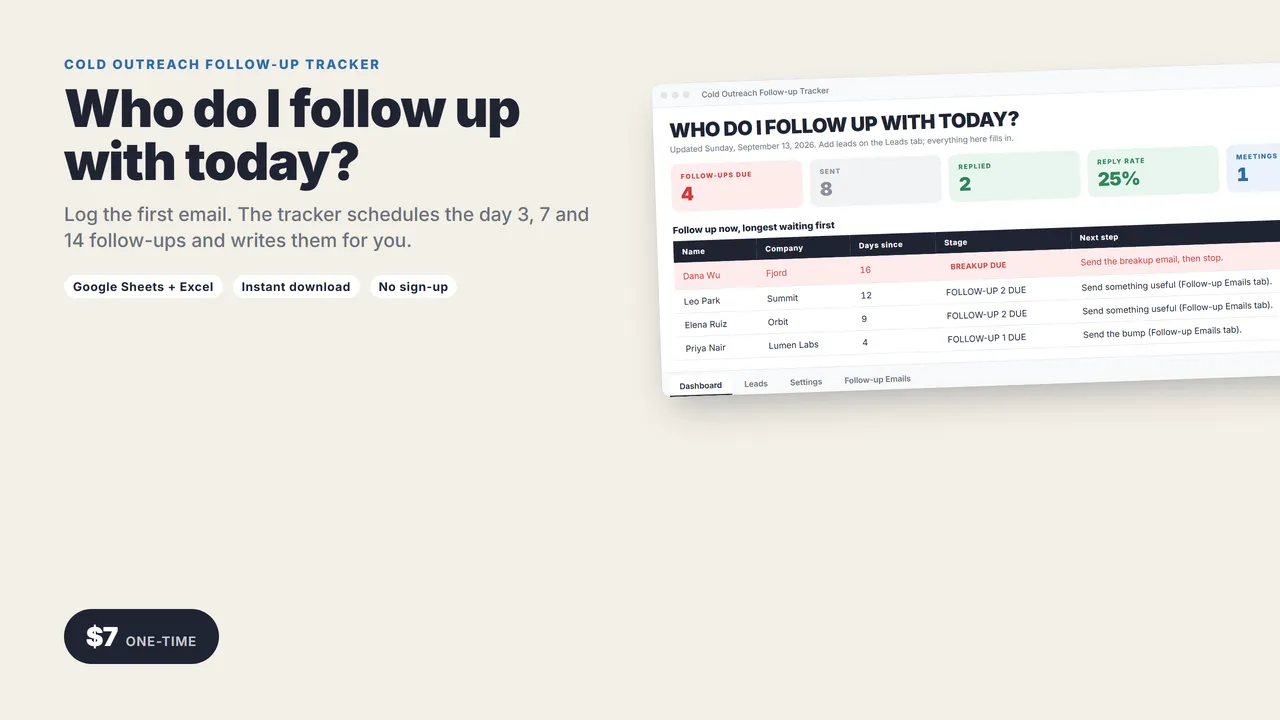
Who do I follow up with today?
Most replies come from the follow-up, not the first email. Most people never send it. This spreadsheet makes the follow-up the easy part.
Log who you emailed and when. Every morning it tells you exactly who is due a follow-up, and the email is already written with their name, company and the date you first wrote.
One spreadsheet. Works in Google Sheets and Excel.
THE CADENCE
- Day 3: the bump
- Day 7: add something useful
- Day 14: the breakup email
- After that: closed, stop wasting your time
Every lead gets a stage automatically: WAITING, FOLLOW-UP 1 DUE, FOLLOW-UP 2 DUE, BREAKUP DUE, REPLIED or CLOSED, with the date to send.
THE DASHBOARD
- Follow-ups due today
- Sent, replied, reply rate, meetings booked
- The follow-up list, longest waiting first
THE EMAILS
Pick a lead from a dropdown. Three follow-ups fill in with their first name, company, your pitch and your booking link. Copy, paste, send. Edit the wording once in the sheet and every lead gets your version.
What you get
- The tracker (.xlsx): Dashboard, Leads, Follow-up Emails, Settings. Room for 300 leads.
- A 2-page quick-start guide
Who it's for
Freelancers, founders, agency owners, recruiters: anyone doing their own outreach without a sales team.
Good to know
- No macros, add-ons or sign-ups. Works in Google Sheets (free) and Excel 2016 or newer.
- Instant download.
Need a custom app built for your business? I build native iOS apps and web tools from prototype to launch. Services and pricing · LinkedIn
Money and business
Cold Outreach Follow-up Tracker
with the follow-up emails written
Log who you emailed and when. It tells you who to follow up with today and writes the day 3, day 7 and day 14 emails with their name in.
One-time price in US dollars, checkout by Stripe. After paying you land on a page with your download link. Each link works for 15 minutes, and reopening that page makes fresh ones.
- Cold-Outreach-Tracker.zip