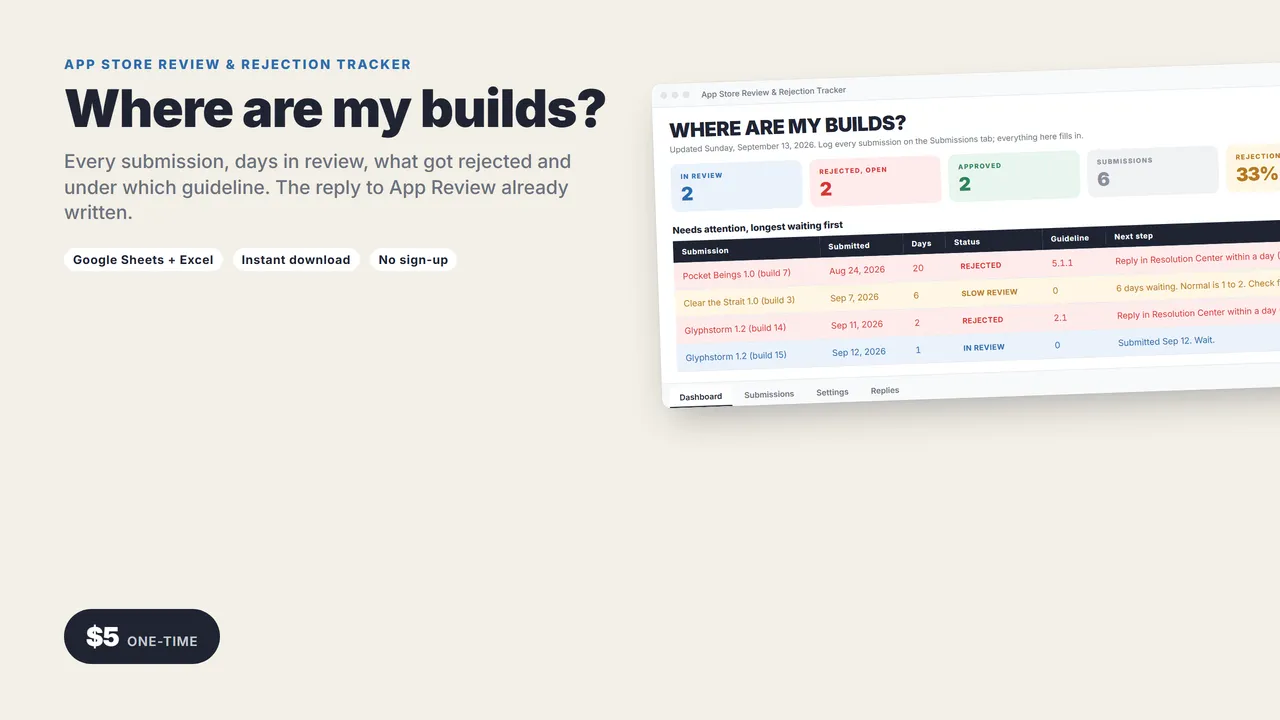
Where are my builds?
Three apps, six builds in flight, one rejection under Guideline 2.1 and one that has been "In Review" for five days. This spreadsheet keeps it straight, and writes the reply to App Review for you.
One row per submission: app, version, build, date, result, guideline cited, the reason they gave. It works out days in review, flags slow reviews, and tells you the next step.
Works in Google Sheets and Excel.
THE DASHBOARD
- In review, rejected and open, approved
- Rejection rate across everything you have shipped
- Needs attention, longest waiting first
THE REPLIES
Pick a rejected submission from a dropdown. Three replies fill in with the app, version, guideline number and the reviewer's reason:
- A Resolution Center reply (what you fixed and how to see it)
- A compliance explanation (why the app already meets the guideline)
- An appeal to the App Review Board
What you get
- The tracker (.xlsx): Dashboard, Submissions, Replies, Settings
- A 2-page quick-start guide
Who it's for
Indie iOS and Mac developers with more than one app, and anyone who has typed "we have addressed this" into Resolution Center from memory.
Good to know
- No macros, add-ons or sign-ups. Works in Google Sheets (free) and Excel 2016 or newer.
- Instant download.
Need a custom app built for your business? I build native iOS apps and web tools from prototype to launch. Services and pricing · LinkedIn
Indie dev and launch
App Store Review & Rejection Tracker
with the replies written
Every build you submit, how long it has been in review, what got rejected and why, and three ready-to-paste replies for Resolution Center and the App Review Board.
One-time price in US dollars, checkout by Stripe. After paying you land on a page with your download link. Each link works for 15 minutes, and reopening that page makes fresh ones.
- App-Review-Tracker.zip